Interactive Study Cases OpenNursing AI

Student Nurse Practice

Clinical Judgment You Can Touch

OpenNursing AI turns study cases into interactive nursing judgment practice. Instead of just reading priority lists, students can work a full incoming board, lock decisions, and review what they got right afterward.

Interactive prioritization
Built for student nurses
More cases can plug in here
Featured Interactive Case
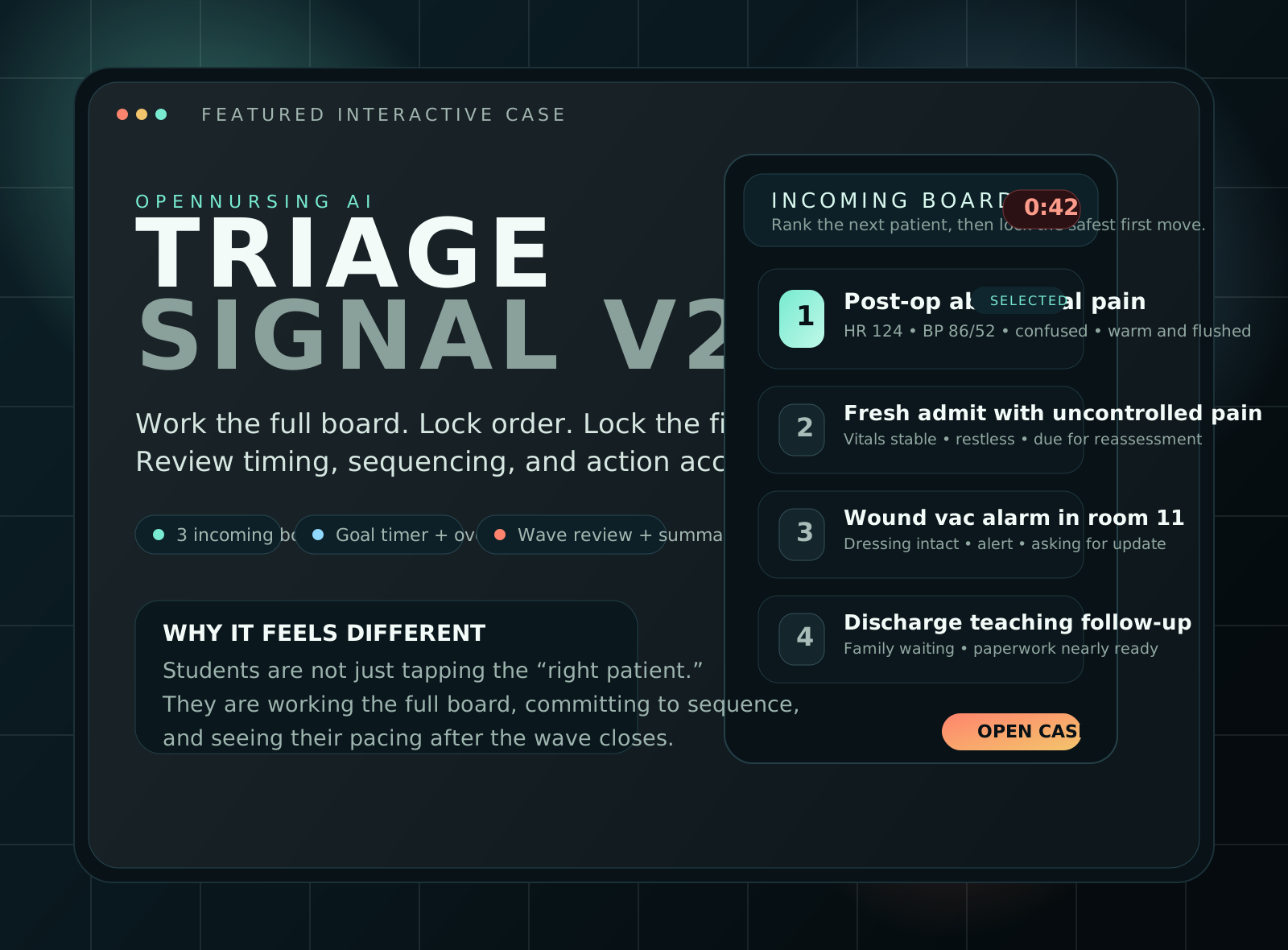
Preview poster for the Triage Signal nursing judgment case
Triage Signal Practice ranking the full incoming board and locking the first move for each patient.
Open Case

Case Library

Start with one strong case, then build a real study collection.

The homepage is already structured for a growing library. The featured case is live now, and the supporting spaces are ready for the next nursing scenarios you want to publish.

Library Shape

Built for multiple study experiences

This site can hold prioritization drills, documentation games, delegation scenarios, patient-teaching labs, and more without changing the homepage structure.

Featured case Future collection Static site ready

Coming Next

More boards, more judgment reps

Add the next simulation as another page in the cases folder, then drop a new card into the library. The layout is already ready for growth.

Delegation drill Charting sprint Patient teaching
Open the library page

How It Works

Study with a little more pressure, a little more clarity, and a lot more engagement.

01

Open a case.

The student starts inside a focused, interactive scenario instead of a static worksheet.

02

Lock real decisions.

They choose priority order and safe first actions before the grading appears.

03

Review what happened.

Each case closes with practical feedback on judgment, order, and timing.

Next Step

Put this live, then keep adding cases.

The site is ready to deploy as a simple static web project. Once hosting is attached, `opennursing.ai` can become the home for your nursing study experiences.

Open Featured Case